Coffee Mode On: A Designer’s Real-World Embroidery Review
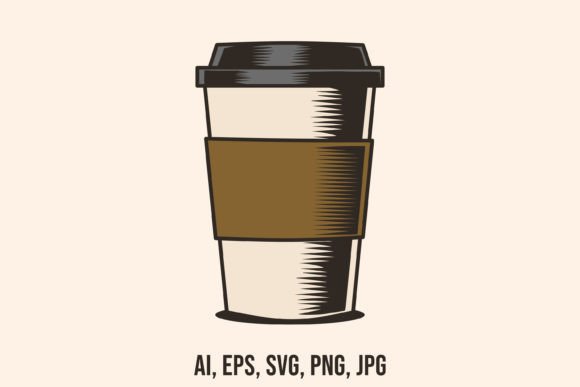
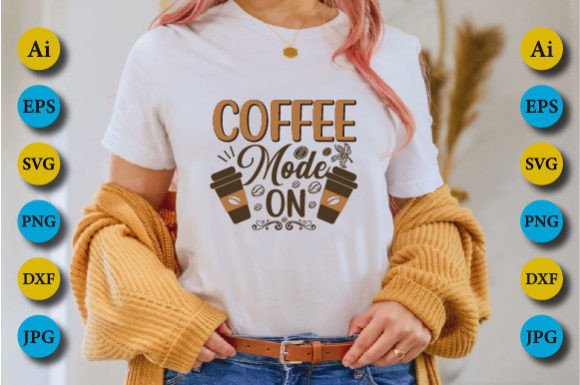
As someone who’s stitched hundreds of designs onto everything from baby onesies to boutique aprons, I opened Coffee Mode on expecting charm—but what stood out wasn’t just cuteness. It was clarity. The moment I loaded the file into my embroidery software, I saw a design built for *real* stitching—not just screen appeal. This isn’t a generic coffee cup clipart knockoff. It’s a tight, intentional composition: bold lettering, a simplified but expressive mug, and that clever “on” toggle motif tucked neatly into the handle. It reads instantly—no squinting, no decoding. That matters when you’re embroidering on a curved cap brim or a stretchy cotton tee.
First Impressions That Translate to Stitched Results
The layout feels purpose-built for apparel. The height-to-width ratio sits comfortably in standard 4×4 hoops—ideal for tote bags, sweatshirt chest logos, and pillow covers. There’s no excessive negative space or fragile thin lines that vanish under fill stitch. The “Coffee Mode on” text uses clean, slightly rounded sans-serif lettering with generous spacing—no risk of thread bridging or legibility loss at small scales. The mug itself is stylized but recognizable: a single bold outline, a subtle steam curl (not fussy), and that smart little power symbol integrated into the handle. It’s playful without leaning into kitsch—and crucially, it avoids over-detail that would gum up in satin stitch or bleed on textured fabrics like terry cloth or canvas.
Where It Shines—and Where You’ll Want to Pause
I tested Coffee Mode on across three real projects: a linen tea towel for a local café’s holiday gift set, a unisex crewneck sweatshirt for an Etsy shop, and a set of embroidered patches for a barista-themed kids’ camp. On the towel? Crisp, confident, and highly legible—even at 3.5 inches wide. The stitch density felt balanced: enough coverage for opacity on light fabric, but not so dense it stiffened the weave. On the sweatshirt? It held up beautifully with medium-weight cutaway stabilizer—no puckering, no distortion. The letterforms stayed sharp, and the mug’s curves stitched smoothly.
But here’s where attention matters: Coffee Mode on isn’t ideal for ultra-fine applications. I tried it at 2 inches tall on a baby onesie using lightweight tear-away stabilizer—and while readable, the “on” toggle lost some definition. Tiny lettering + thin knit fabric = subtle softening. Likewise, on dark garments, I swapped to high-contrast thread (cream on navy) and added one extra underlay pass—simple steps, but necessary for crispness. And on curved surfaces like baseball caps? I resized it down to 2.75 inches and repositioned the mug slightly higher in the hoop to avoid distortion near the front seam. It worked—but it required that small, practiced adjustment.
What It Adds to Your Handmade Product—Beyond the Thread
This design elevates perceived value. When customers see Coffee Mode on stitched cleanly on a kitchen towel or apron, it reads as intentional, curated, and professionally executed—not mass-produced. That builds trust, especially for Etsy sellers and small shop owners offering personalized gifts. I’ve watched buyers linger longer on listings featuring this kind of confident, theme-driven typography. It sparks recognition (“Yes—that’s *my* morning energy!”) and invites engagement (“Can I get it on a tote *and* a mug?”). For craft businesses building brand consistency, it slots neatly into a broader “daily ritual” collection—think matching mugs, embroidered napkins, and patch sets—without demanding visual overhaul.
Practical Notes Every Embroidery Designer Should Keep Handy
Before committing to a full run, here’s what I do—and recommend you do—with Coffee Mode on:
- Always test on scrap fabric first—especially if using textured, stretchy, or dark materials. Note how the “on” toggle holds up at your target size.
- Check thread color contrast early. On light fabric, navy or charcoal works; on dark, go warm cream or heather grey—not stark white, which can look clinical.
- Review stitch density in your software. If it’s above 12,000 stitches for a 4-inch version, consider simplifying fill areas—or confirm your machine handles it smoothly.
- Confirm hoop size compatibility. While it fits standard 4×4, double-check if your intended project (like a narrow cap front) needs resizing or re-hooping.
- Inspect small details in black-and-white mockups. Does the steam curl read? Does the toggle icon pop? If not, adjust underlay or stitch order.
- Use appropriate stabilizer. Medium-weight cutaway for knits and sweatshirts; tear-away for stable wovens like linen or cotton duck.
- Verify licensing before selling finished items. Since this is listed as a Graphics product in the Crafts category, confirm whether commercial use—including resale of embroidered products—is explicitly permitted.
It’s also worth noting: Coffee Mode on works well as both a standalone embroidery file and a digital asset for printable mockups. Its clean lines translate cleanly to PNG previews, making it easy to showcase on Etsy listings or social media without heavy editing.
A Design That Fits the Moment—Not Just the Hoop
What makes Coffee Mode on stand out isn’t technical perfection alone—it’s emotional resonance paired with embroidery pragmatism. It’s equally at home on a nurse’s scrub top (“Because caffeine is healthcare”), a teacher’s tote bag, or a new parent’s nursery pillow. It doesn’t shout. It smiles knowingly—and stitches like it means it. For embroidery designers, craft business owners, and makers who care about how a design *lands*—not just how it loads—Coffee Mode on earns its place in the working library. Not as filler. But as a reliable, expressive, stitch-ready tool that helps turn everyday objects into small moments of shared humanity—one cup at a time.